Structured one-tap SOS
Live in the appTrapped, medical emergency, fire, water, food, or threat. A distress record is assembled from fixed fields instead of a written message, so what arrives can be triaged immediately.
A complete capability list, grouped by who uses it. Each item is labelled honestly: what is live in the app today, what exists as a field prototype, and what is still being built.
No fine print. The left column runs entirely on the phone itself, with zero connectivity. The right column needs an active internet connection — or a mesh relay that eventually reaches one.
On-device · no SIM, no tower, no data
Emergency survival guides & first-aid protocols
Step-by-step triage for bleeding, CPR, burns, fractures, shock, and collapsed structures — bundled directly in the app.
Emergency contacts & regional dispatch lines
Multi-region emergency numbers and your saved local contacts, callable without mobile data.
Medical ID card
Blood type, allergies, medications, insurance info, and next-of-kin contacts saved on the phone, ready to show first responders immediately.
SOS outbox & offline queuing
Pressing SOS while disconnected packages a compact distress envelope — GPS coordinates plus Medical ID — into an on-device outbox that holds the alert safely and broadcasts it the moment signal returns.
Rescue siren & visual strobe beacon
The high-pitch oscillating alarm and flashing screen strobe run entirely on the phone, helping search teams locate someone trapped or buried.
Downloaded metro map packs & evacuation routes
City packs saved to device storage display offline map tiles, designated evacuation corridors, and safe assembly points with no cell connection.
Emergency multilingual phrasebook
All nine emergency languages and phonetic crisis cards are stored locally on the phone.
Everything here is bundled in the app or saved to device storage, so it keeps working in a total network failure.
Cloud & live sync · or a mesh path to one
Live SOS cloud delivery & responder dispatch
Sending the SOS alert instantly to remote responders' screens and central dispatch systems.
Responder radar scanner & live alert board
Scanning for incoming distress signals, ranking nearby victims, and claiming or resolving alerts in real time.
Two-way live chat
Direct messaging between trapped civilians and responding units.
Family GPS location sync & tracking
Seeing family members' live coordinates on a shared map across separate devices.
Authentication, family invitations & admin approvals
Account logins, email confirmations, joining a family via code, and approving new responders.
Live sensor feeds & real-time danger reports
Streaming earthquake and flood sensor feeds and syncing new community road-hazard reports across town.
Live world map streaming
Fetching fresh map tiles outside the radius of your downloaded offline city pack.
Where no connection exists, the peer-to-peer mesh carries these payloads device to device until one reaches a gateway with internet access.
Under stress, typing fails. Every citizen capability is built around one tap, a fixed set of fields, and information that is already on the phone.
Trapped, medical emergency, fire, water, food, or threat. A distress record is assembled from fixed fields instead of a written message, so what arrives can be triaged immediately.
Direction, distance, and shelter capacity are calculated from cached data, so a person can move toward help without a connection.
Wound care, evacuation steps, and household planning checklists stay readable when nothing loads.
Each request shows whether it is queued, relayed, received, or acknowledged — the difference between waiting and knowing.
Post a missing person with a last-seen point, or send an “I’m alive” check-in that travels device to device until it reaches someone.
A pulsing high-frequency tone that carries through concrete debris, paired with an alternating screen strobe flashing an SOS pattern. Canine units and search-and-rescue teams can locate someone buried under rubble or trapped in a dark space, where GPS accuracy degrades indoors.
Instant language toggles for high-risk regions — French, Ukrainian, Arabic, Turkish, Spanish, Hausa, Yoruba, and Igbo — so victims read triage guides and submit SOS details in their own language with no internet translator.
A second PIN opens a clean interface under coercion; a private share code keeps family status visible only to the people you choose.
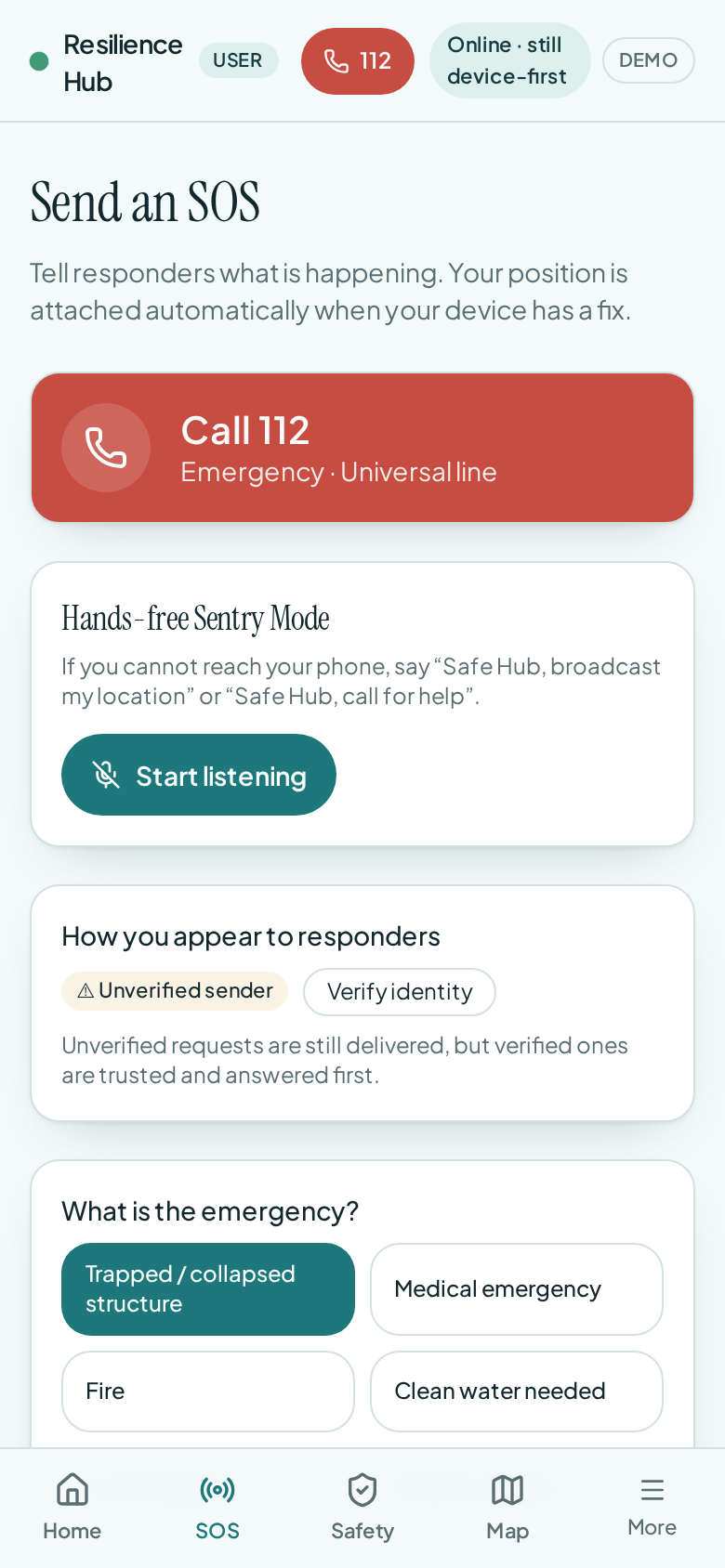
One tap selects the emergency. No account, no typing.
A response fails when forty alerts arrive in the order people happened to send them. Mysafehub scores them instead.
Responder consoles open only with access codes issued by the organization — no public sign-up path into the operations board.
A sweeping radar scope plots every open SOS and danger report by real-time distance and bearing, with adjustable scan ranges — so the closest emergency is always visible at a glance.
Forty-plus simultaneous alerts ranked on urgency, proximity, elapsed time, and route accessibility, so the highest-value dispatch rises first.
Water points, triage posts, charging hubs, hazards, and blocked roads stay visible with no network and no map tiles to fetch.
Group alerts into sectors, assign a team, and record the dispatch from the same board.
Timestamped entries captured on-device, retained locally and synced when a connection becomes available.
Publish verified food, water, shelter, and medical points that propagate across the mesh as citizens move through the area.
Citizens and responders drop real-time hazard markers on the offline map — collapsed bridges, flooded intersections, downed power lines, active conflict zones — and alternate evacuation corridors are recalculated so nobody walks into a fatal dead end.
Responders log what they carry — oxygen tanks, blood bags, AEDs, inflatable rescue boats, emergency fuel — so command centers can direct each call to the team actually equipped for it.
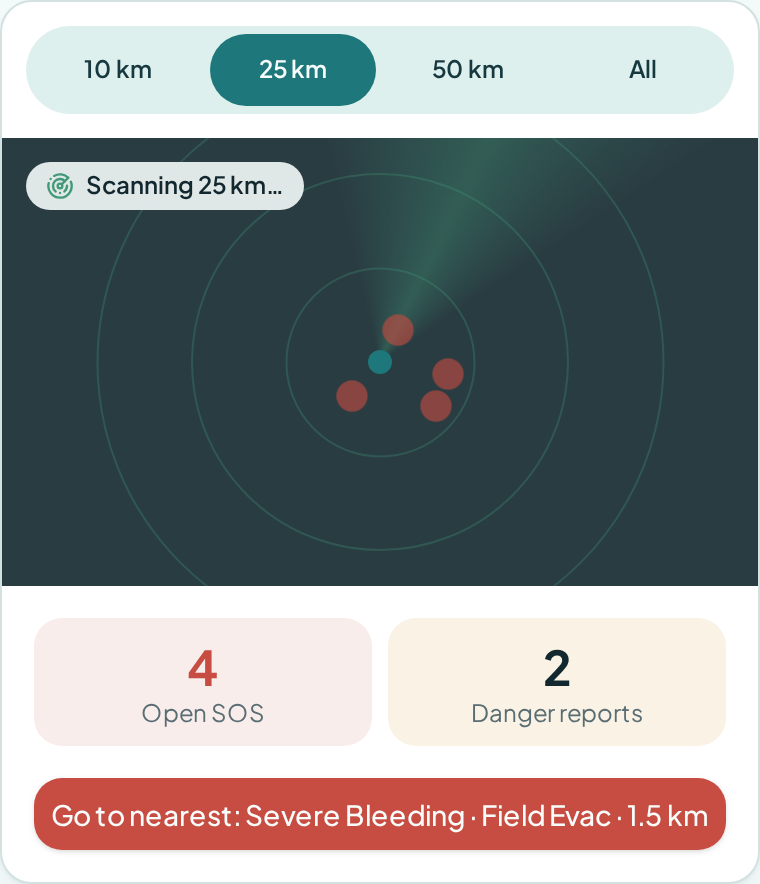
The responder radar: every SOS and danger report, plotted by distance and bearing.
Responders see every help request in range, ranked so the most urgent comes first, then claim it, reach the person, and file a report before closing. Needs a connection.
Each request is scored on severity, distance from the responder, and how long the person has been waiting — with the reason shown on the card.
One tap claims a request so two teams don't drive to the same call.
Distance and bearing, turn-by-turn directions, an offline compass, and quick hand-off to Google Maps, Apple Maps or Waze.
Blood group, allergies, conditions and medications open straight from the request.
Direct messages with one-tap phrases: “On my way”, “Need your exact location”, “Help is coming — stay where you are”.
A field report is required before closing: outcome, actions taken, casualties, injuries and supplies used. Only admins can read it.
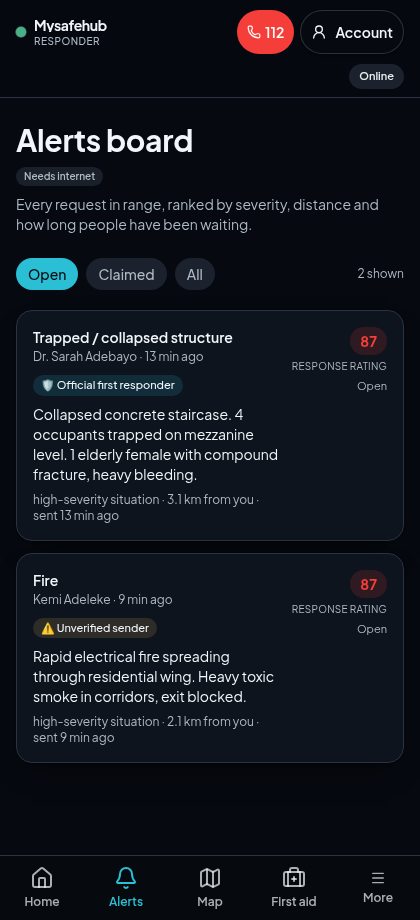
The alerts board: requests ranked by severity, distance and wait time.
Mysafehub is designed to treat every smartphone as a routing node. Messages are built to hop between nearby devices until one of them meets a responder or a connection — relay is in field testing, not yet validated.
Triage fields are compressed into a compact record so a single alert can survive many hops and weak radio conditions.
Device-to-device transport with no towers, no internet, and no configuration by the person carrying the phone.
An isolated phone keeps the alert encrypted on-device and dispatches it automatically the moment another node comes in range.
No single node holds the network together. More phones in the area means more paths, not more load.
Where any uplink exists, a responder node forwards the local mesh into normal channels without citizens doing anything.
A spoken trigger raises an alert for people who cannot reach their screen — pinned under debris or separated from a bag.
Open alert channels fail twice: they are ignored, or they are abused. Three identity tiers let a responder weigh a signal without a call centre.
Instant SOS with no account and no identity. The alert is marked unverified and still gets through.
An on-device camera check confirms a real person is present, and the phone signs the alert with a key held in its secure enclave. Faces and biometric data never leave the handset.
Pre-authorised institutional keys mark the sender as an agency-credentialed responder, and unlock the operations console.
Rate limits, tier weighting, and verification badges make it expensive to flood a board or use the app to draw people toward a location.
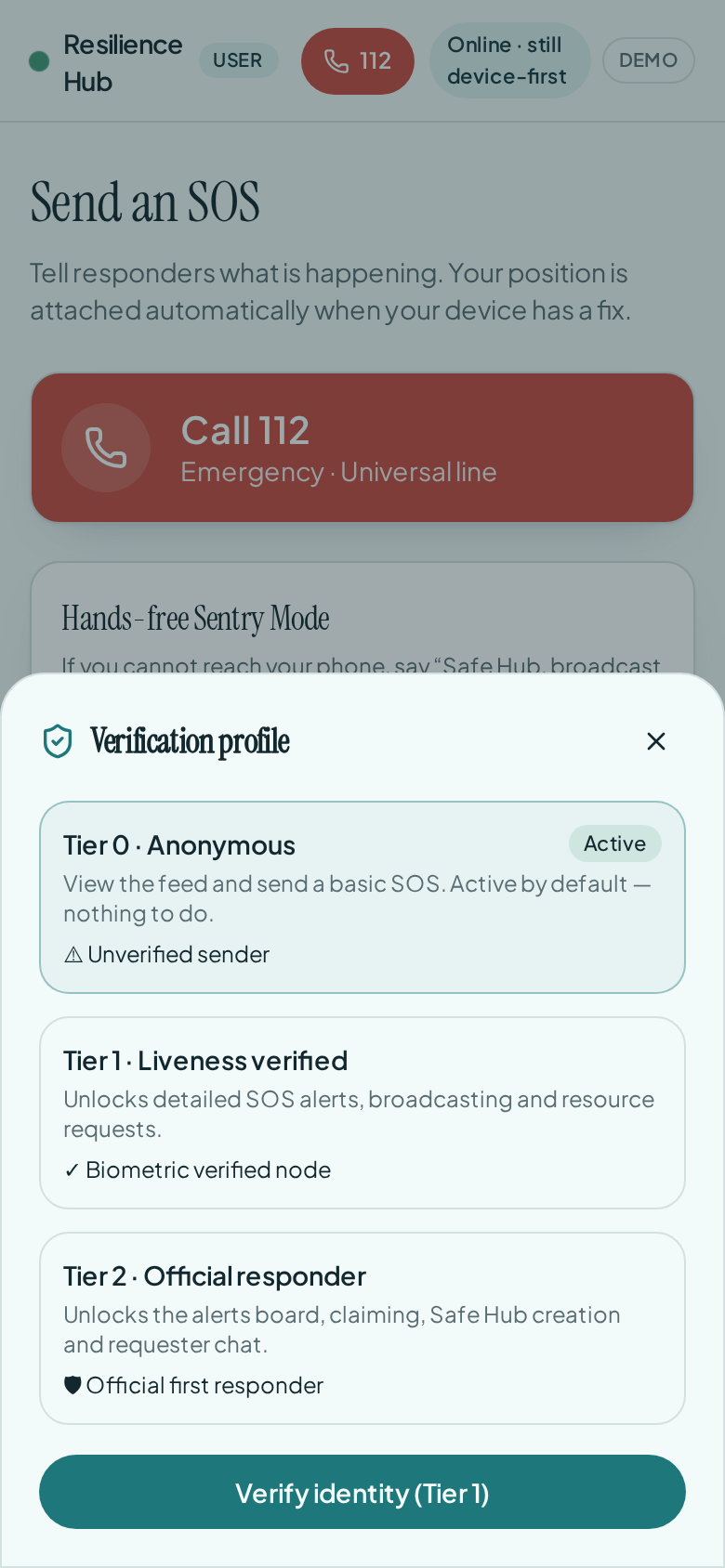
Three levels of trust, decided on the handset.
Everything the app needs during an emergency has to be on the phone before it starts. Mysafehub packs that in advance.
Vector evacuation maps at roughly 20 MB per city — corridors, bridges, hazard zones, and designated safe points, without raster tiles.
Water, shelter, medical, and triage points stay searchable offline and update when a fresh source passes through.
Meeting points, contacts, medicines, and documents captured ahead of time, stored locally.
Verified updates to maps and resource points are pushed across the mesh as conditions change.
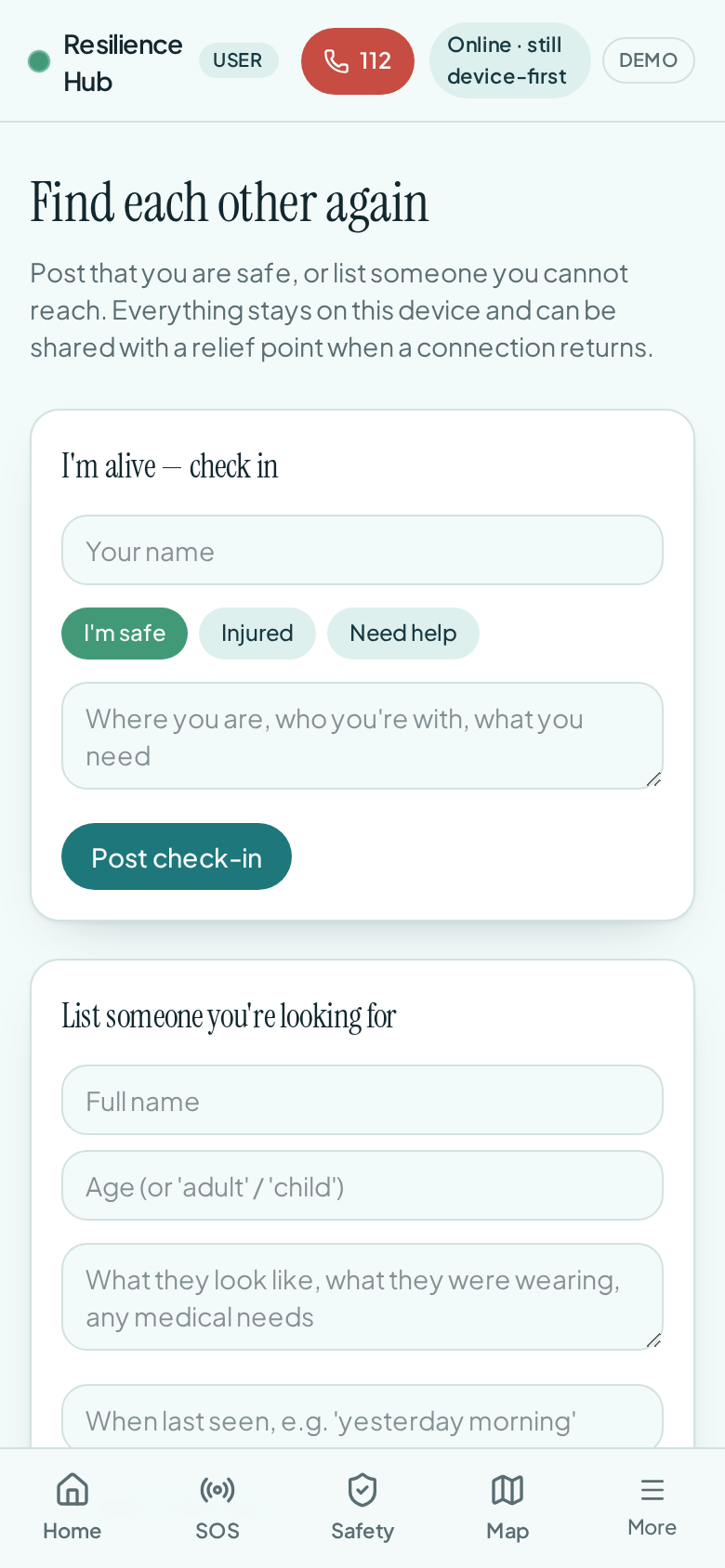
Preparedness data is also reunification data.
Use this as a checklist against your own response plan. Each capability is also marked for connectivity: works offline runs entirely on the phone, offline + mesh reaches someone device to device without towers, and live connection needs an active internet link. Field prototype means the capability is built and demonstrated, but not yet hardened for public release.
| Capability | Primary user | Connectivity | Status |
|---|---|---|---|
| Structured one-tap SOS | Citizen | Offline + mesh | Live in the app |
| Offline compass & safe-haven routing | Citizen | Works offline | Live in the app |
| Offline first-aid & evacuation guidance | Citizen | Works offline | Live in the app |
| Request status tracking | Citizen | Works offline | Live in the app |
| Family reunification & “I’m alive” check-in | Citizen | Offline + mesh | Live in the app |
| Acoustic distress siren & screen beacon | Citizen | Works offline | Live in the app |
| Multi-language offline switcher | Everyone | Works offline | Live in the app |
| Duress PIN & private family share code | Citizen | Works offline | In development |
| Secure organization access codes | Responder | Live connection | Live in the app |
| Live responder radar display | Responder | Live connection | Live in the app |
| Scored alert triage board | Incident command | Live connection | Live in the app |
| Incident sectors & quick dispatch | Incident command | Live connection | Field prototype |
| Incident & evidence log | Responder | Offline + mesh | Live in the app |
| Offline operational map | Responder | Works offline | Live in the app |
| Resource point publishing | Responder | Offline + mesh | Live in the app |
| Crowdsourced hazard & route pinning | Everyone | Offline + mesh | Live in the app |
| Fleet & supply inventory tracker | Responder | Offline + mesh | Live in the app |
| Sub-250-byte alert payloads | Network | Offline + mesh | Live in the app |
| BLE & Wi-Fi Direct device relay | Network | Offline + mesh | Field prototype |
| Store-and-forward sync queue | Network | Offline + mesh | Field prototype |
| Gateway bridging to normal channels | Network | Live connection | In development |
| Hands-free voice sentry | Citizen | Works offline | Live in the app |
| Tier 0 anonymous SOS & Tier 1 biometric verification | Everyone | Works offline | Live in the app |
| Tier 2 official first responder credentials | Responder | Live connection | Live in the app |
| City evacuation packs | Everyone | Works offline | Field prototype |
| Medical ID wallet card | Citizen | Works offline | Live in the app |
| Emergency contacts & meeting point | Citizen | Works offline | Live in the app |
| Neighbour status & mutual-aid exchange | Community | Offline + mesh | Live in the app |
| Responder supply board | Responder | Live connection | Live in the app |
| Admin approvals console | Admin | Live connection | Live in the app |
Walk through the field app, read the test results, or ask for a live deployment in your area.